Mementos are an easy way to turn moments from your Letterloop into beautiful, shareable cards.
Instead of screenshots or copy-pasting text, Mementos let you save and share memories in a format that actually feels special.
To create a Memento, go to any one of your Issues. Tap on the Arrow button on the upper right hand corner.
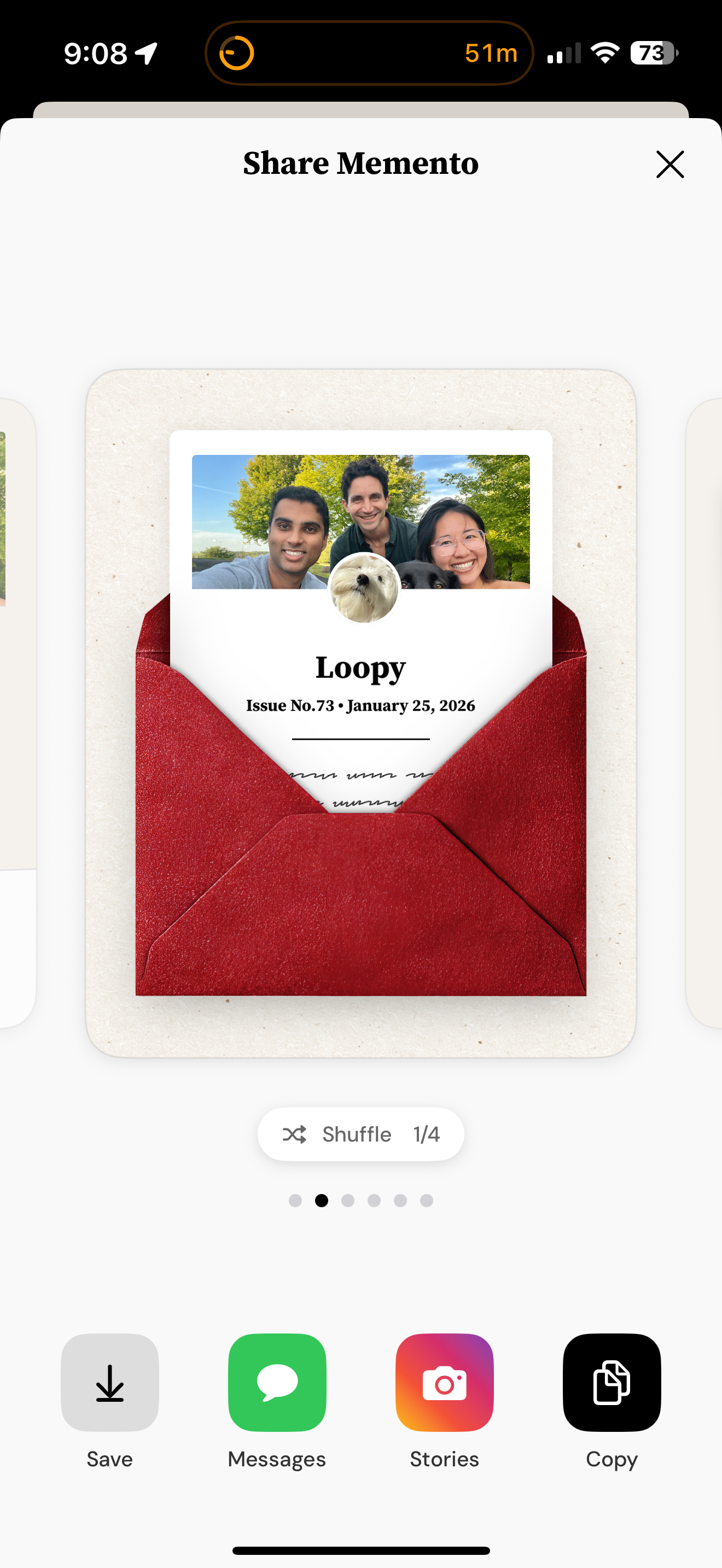
When you open a Memento, you’ll see designed cards pulled directly from your Letterloop issue — including things like:
Photos (only photos that you shared)
Issue details
Music
From here, you can customize how it looks, then share it however you want.
At the bottom, you’ll see Shuffle (1/X).
Shuffling cycles through different design styles for the same moment — things like:
Layout
Framing
Visual treatment
Nothing about the content changes — just the look.
Tap Shuffle until you find the version that feels right.
You’ll see which version you’re on (like 1/4, 2/4, etc.) as you go.
Once you’ve landed on a design you love, you’ve got a few easy options:
Downloads the Memento to your camera roll so you can keep it forever.
Send it directly via text or group chat — perfect for friends who were part of the moment.
Share it to Instagram Stories (or other social apps) in one tap.
Copies the image so you can paste it anywhere you want.