Create or access one Letterloop account and keep using the same sign-in identity on every device so your existing Letterloops appear.
Who this is for: Anyone creating or accessing an account; sign-in methods do not depend on Letterloop role.
Applies to: Web, iPhone/iPad, Android
Email magic link
Email and password; a new password must be at least 8 characters
Password reset for an email/password account
Sign in with Google on web, iPhone/iPad, and Android
Sign in with Apple on web, iPhone/iPad, and Android
Note: Letterloop does not use SMS codes for sign-in.
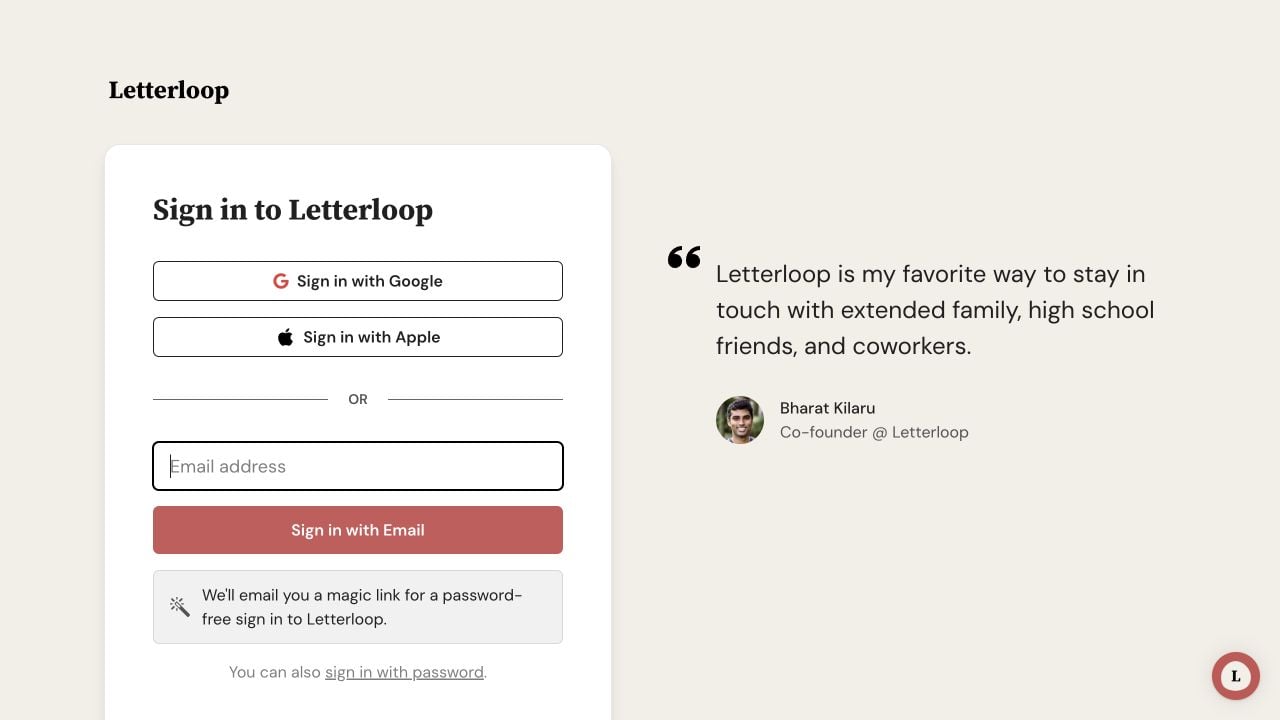
On web, choose Google, Apple, an email magic link, or sign in with password for a password-based account.
Use the same email and sign-in identity on web, iOS, and Android. A Letterloop membership is connected to an account email, so creating a second account with another email can make an existing Letterloop appear missing.
Open Letterloop. For an existing account, stay on Sign in on web or choose Sign In on iPhone/iPad and Android. To create one, choose Sign up here on web or Create Account on iPhone/iPad and Android.
Use the email and sign-in identity that received your Letterloop invitation or already belongs to your membership.
Choose a supported method:
Web — for an existing account, choose Sign in with Google, Sign in with Apple, enter Email address and choose Sign in with Email for a magic link, or choose sign in with password. On the new-account screen, the corresponding labels use Sign up.
iPhone/iPad or Android — for an existing account, choose Sign in with Google, Sign in with Apple, enter Email and choose Send Magic Link, or choose sign in with password. On Create account, the social buttons say Continue with Google or Continue with Apple.
For a magic link, open the newest Letterloop sign-in email and follow its link. If Letterloop asks for the address, enter the exact email that received the link and choose Sign in.
For email/password access, enter the existing password. When creating a password-based account, use at least 8 characters.
Expected result: An existing account opens its Dashboard with its Letterloops. A new account continues to onboarding before opening its Dashboard. If a Letterloop you previously joined is missing, do not create another account; use the related invitation-recovery guide.
Sign in with Apple can use a Private Relay email. Keep using the same Apple identity so Letterloop can find the same account. If your membership uses a different email, contact support instead of creating another account.