Applies to: Web, iPhone/iPad, Android
Who can do this: Any signed-in Letterloop user. No Owner or Admin role is required.
Change the email inside your existing account so your Letterloop memberships and subscription stay connected. Do not create a second account for the new address.
Use an email address you can access.
If you use Sign in with Apple, check whether your account uses an Apple Private Relay address.
The new email cannot already belong to another Letterloop account.
Note the Letterloops and subscription you expect to see after the change.
In the sidebar, select More, then Account.
In the Email card, replace your current address and select Save.
Review the Change Email dialog, then select Change Email.
Select More → Sign Out, then sign back in with the new email.
Confirm that your Letterloops and subscription still appear.
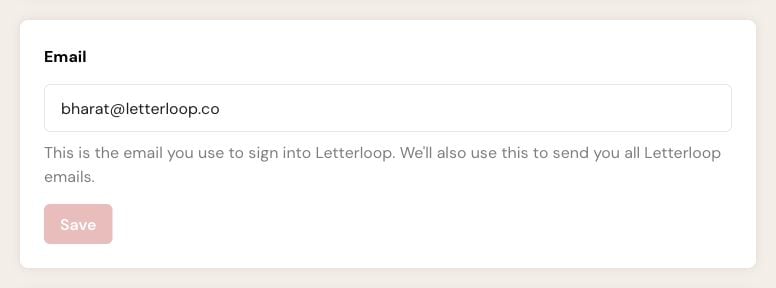
On web, replace the address in the Email card, then choose Save.
Expected result: Letterloop changes the sign-in email on your existing account and keeps its memberships and subscription connected.
From the Home screen, open the settings gear, then tap Account.
In the Email card, replace your current address and tap Save.
Sign out, then sign back in with the new email.
Confirm that your Letterloops and subscription still appear.
The mobile apps send the update when you tap Save. They do not show the web Change Email confirmation dialog.
Expected result: The Account screen shows the new address, and your next sign-in uses that address.
The email is invalid: Check for typing errors and use a complete address.
The email belongs to another account: Use a different address or contact Letterloop support to move memberships safely.
Your subscription cannot be moved automatically: The change stops before the sign-in email is updated. Contact support before trying again.
You cannot sign in after the change: Use the new email. If you normally use Apple or Google and that does not work, try Letterloop's email sign-in option or contact support.
Do not buy another subscription or recreate the Letterloop. Contact support with the old email, new email, and the names of the affected Letterloops so the team can investigate the existing account.