Choose a new password for an email/password account by requesting a secure reset link from the Letterloop sign-in screen.
Applies to: Web, iPhone/iPad, Android; email/password accounts; all Letterloop roles (Owner, Admin, Contributor, and Reader).
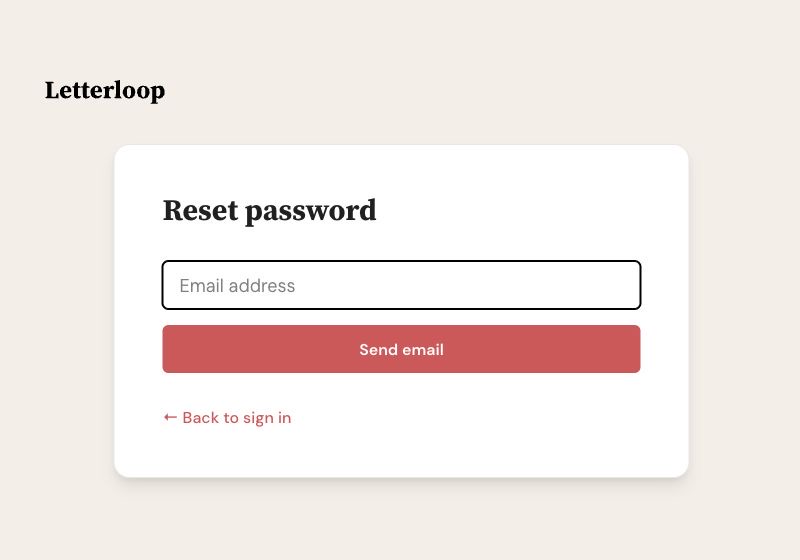
On the reset screen, enter the email for your Letterloop account and choose Send email.
A Letterloop password applies to an account that uses email and password. If you normally use a magic link, Google, or Apple, use that sign-in method instead; you may not have a separate Letterloop password.
Letterloop does not currently show a separate change-password control in the signed-in Account screen. Use this same reset flow whether you forgot the password or still know it and want a new one.
Open the Letterloop sign-in screen. If the password field is hidden, choose sign in with password.
Choose Forgot password?
Enter the email for your Letterloop account, then choose Send email. When Letterloop shows Check your email, open the newest password reset email.
Follow the secure link. It opens the Reset password form in Letterloop or in your web browser.
Enter matching values in New Password and Confirm Password, using at least eight characters.
Choose Reset Password, then sign in with the new password.
Use the newest email: If a reset link is invalid, missing, expired, or already used, return to Forgot password? and request a fresh one.
Web: The link opens the Reset password page. A successful reset returns you to sign in with password.
iPhone/iPad: Keep the Reset password sheet open while you switch to email and tap the link. The link can return to the reset form in Letterloop. If it opens your browser instead, complete the same form there. After the success message, choose OK and sign in with the new password.
Android: The link can open Letterloop directly on the Reset password form. If it opens your browser instead, complete the same form there. After the success message, the form closes; sign in with the new password.
Requesting a link does not change the password by itself. After the reset succeeds, the old password no longer signs in. Use the new password with the same Letterloop account email.
Wait a few minutes, then check spam, junk, and promotions folders.
Confirm that you entered the same email used for Letterloop. If Letterloop reports that no account was found, try the email tied to your membership.
Search your inbox for Letterloop or [email protected].
If Letterloop reports too many reset requests, wait a few minutes before trying again.
If you use Google or Apple sign-in, try that provider instead.
Contact support if the account email is uncertain or a fresh reset link still fails.

