Reopen your current response to update an answer, replace media, or remove individual content before or after delivery when replies are still allowed.
Applies to: Web, iPhone/iPad, Android
Who can do this: Contributor
A Contributor can reopen a submitted response while the reply flow for that Issue remains available. After the deadline, editing depends on whether the Letterloop allows late submissions. Readers do not have reply forms.
Open the Letterloop and stay on Summary.
For the current In Progress Issue, choose Edit your reply. Immediately after submitting, you can instead choose You can also edit your reply on the confirmation screen.
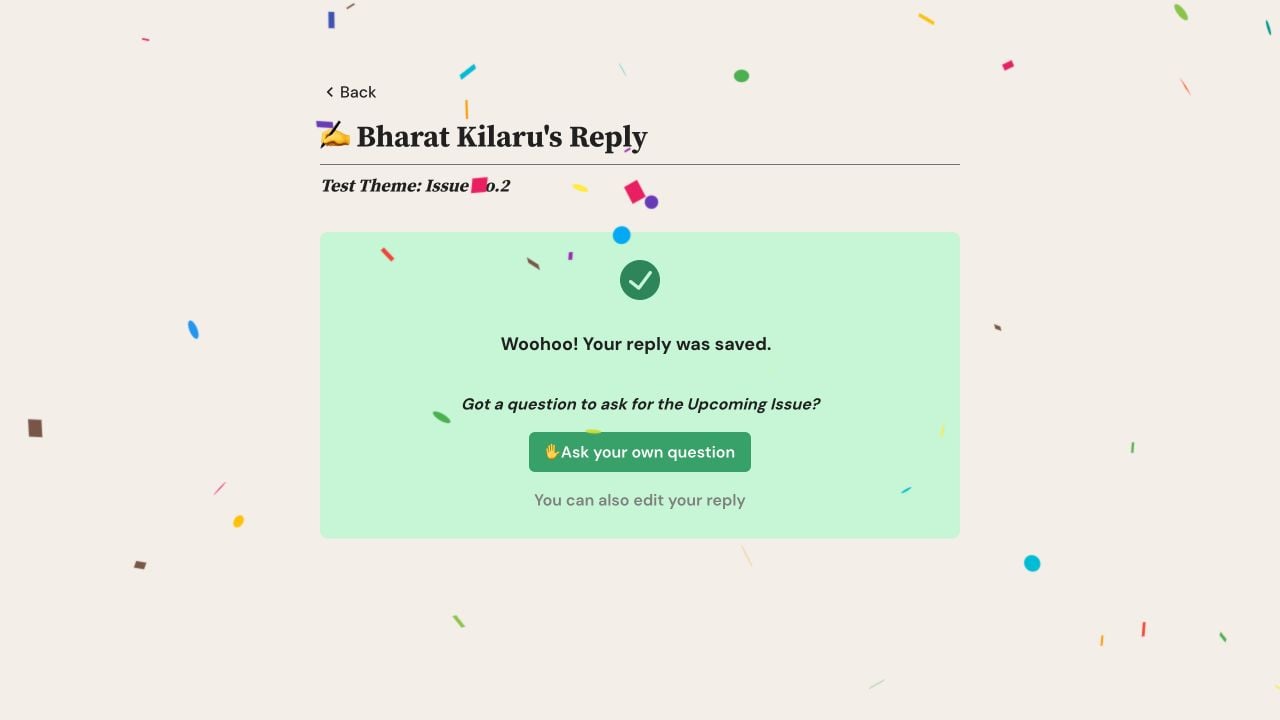
After submitting on web, select You can also edit your reply to reopen the current response.
Open the Letterloop home card or its current In Progress Issue.
Choose Edit Reply. Immediately after submitting, you can instead choose edit your reply on the confirmation screen.
Change the text, poll choices, music, captions, photos, or video that should be updated.
Wait until any new media finishes uploading and processing.
Save with the control shown on your platform. Web: choose Save Edits. iPhone/iPad: choose the send button (paper-plane icon) on iOS 26, or Submit Edits on earlier iOS versions. Android: choose the send button (paper-plane icon; screen-reader label Submit edits).
Confirm that Letterloop reports the reply was saved. The updated response is now used when the Issue is opened.
Clear the answer text or poll selection and use the visible remove control for each attached photo, video, or track, then save the edits. At least one response—text, a poll choice, media, or music—must remain somewhere in the reply. If a Section requires a caption, keep a caption with its media.
Note: The composer does not have a delete-whole-submission control. Contact support if the entire submitted response must be removed.
When late submissions are allowed, an edit can change what appears when someone opens the live Issue or archive. Members are not notified about that change. The edit cannot rewrite an Issue email that was already delivered or a PDF that was already generated, so generate a new PDF after an important change.
Confirm that you are signed in with the email on your Contributor membership.
Check that you opened the current In Progress Issue, not an Upcoming Issue.
Ask an Owner or Admin whether late submissions are disabled.
Check that you opened your own reply, not another Contributor's private reply link.
Contact support before creating a second account or forwarding a private reply link.
Update Letterloop from Google Play, reopen Edit Reply, and tap the answer again. The current Android release lets longer answers scroll while the keyboard is open, so you can reach and edit the entire response. If scrolling still fails, dismiss the keyboard, reopen the editor, and check Google Play for another update before contacting support.

