Choose the participation model that matches who should write each Issue.
Applies to: Web, iPhone/iPad, Android
Who can do this: Any signed-in user while creating a Letterloop. After creation, an Owner or Admin can change the Letterloop type.
Open Create a Letterloop.
Under Which experience do you want?, choose Group or From You.
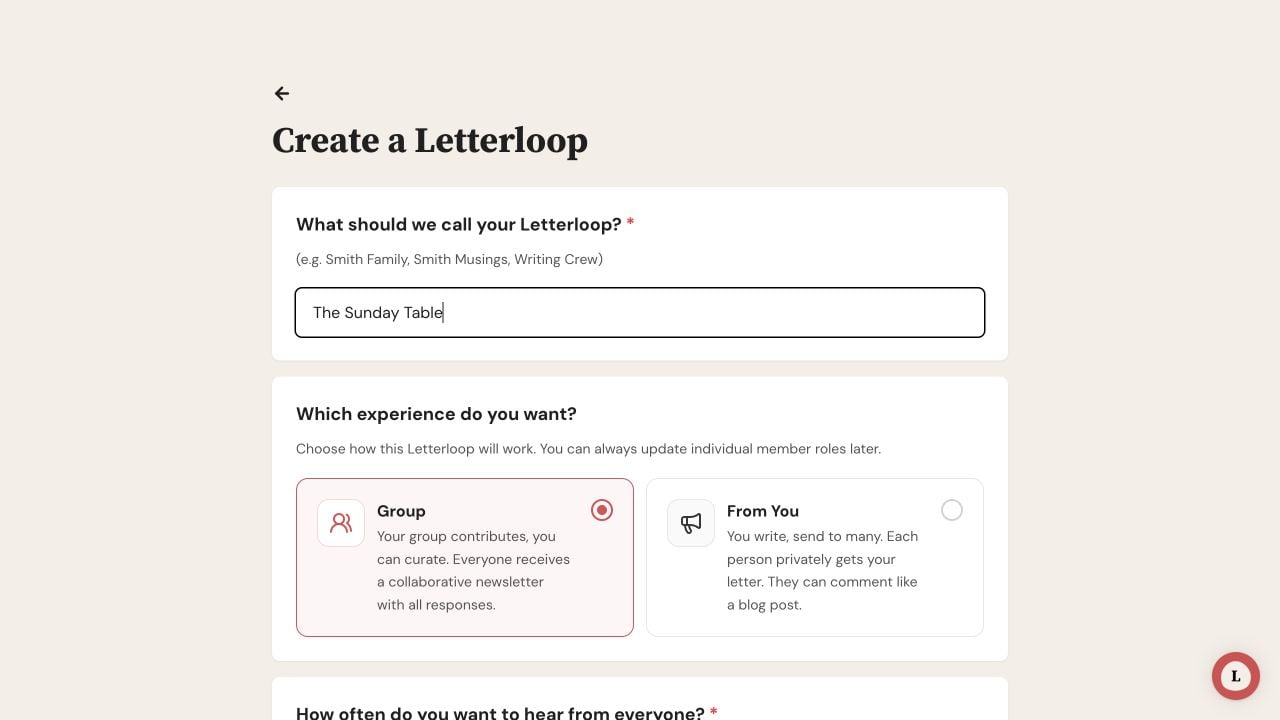
Choose Group when multiple people should contribute, or From You when only the Owner should write.
Group is for a collaborative Letterloop.
New members default to Contributor, and an Owner or Admin can make individual members Contributors or Readers.
Contributors receive Issue prompts and eligible reminders, can submit replies, and receive the delivered Issue.
Readers receive delivered Issues without being asked to reply.
Group works well for families, friend groups, clubs, teams, and communities where several people should answer each cycle.
From You is for one-to-many updates written by the Owner.
The Owner is the only Contributor.
Every non-owner member is a Reader, including an Admin who helps manage the Letterloop.
Readers receive each delivered Issue and can comment when comments are enabled, but they do not receive reply prompts or submit Issue replies.
Important: From You does not support a small team of non-owner Contributors. If anyone besides the Owner should write, use Group and assign only those people the Contributor role.
Open the Letterloop and choose Settings.
Under Letterloop Type, select Group or From You.
Open the Letterloop and choose Settings.
Choose Letterloop Type, then select Group or From You.
Expected result: Letterloop saves the selected type and applies its role rules. Switching to Group does not automatically turn existing Readers into Contributors; update those roles from Members if needed.
From You allows only Readers besides the Owner. If Letterloop names other Contributors in an error:
Open Members.
Change each named non-owner Contributor to Reader.
Return to Settings → Letterloop Type and choose From You again.
If Letterloop Type is missing, confirm that you are an Owner or Admin.
If many people should answer every cycle, choose Group.
If only the Owner should write, choose From You.
If a few non-owner members should write, choose Group, keep that small set as Contributors, and make everyone else a Reader.

