Choose which Letterloop updates reach you, how often they arrive, and whether each category uses email, push, or both.
Applies to: Web, iPhone/iPad, Android
Who can do this: Every member can change their own preferences. Owners and Admins also see the Admin notification category.
Open the Letterloop and choose Notifications in the sidebar.
Use Comments, Admin Events if shown, and Reminders to review that Letterloop's settings.
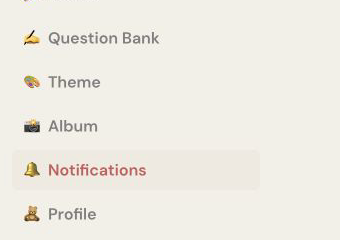
On web, choose Notifications in the Letterloop sidebar.
On Home, choose the Settings gear, then choose Notifications.
Choose the Letterloop you want to update.
Open Comments, Reminders, or Admin if you are an Owner or Admin.
Comments: All comments, Comments to me, or None. Comments to me covers mentions and comments shared on your reply.
Reminders: All reminders, Last reminder only, or None.
Admin Events: Owners and Admins can switch New reply, Late reply, New question, and Issue progress on or off separately.
Expected result: Your choice is saved as soon as you select an option or change a switch.
Comments and reminders each have separate Email and Push switches. Turn on at least one delivery method for a category you want to receive.
Push also needs device permission. From the app's Notifications screen, choose Enable in Settings. Inside Comments or Reminders, choose Enable in iOS Settings → or Enable in Android Settings →, then allow notifications for Letterloop.
On web, turning off the last Email or Push switch for a category opens Disable All Notifications. That confirmation disables notifications for that category only; it is not a master switch for every Letterloop alert.
On iPhone/iPad and Android, Email and Push switches save immediately without that extra confirmation.
Comment notifications are sent only while comments are enabled for the Letterloop.
Automatic reply reminders apply only to Contributors who have not submitted. Readers do not receive them.
Manual reminders sent by an Owner or Admin are not controlled by All reminders, Last reminder only, or None. They still require the reminder category's Email or Push switch to be on.
Reopen the Letterloop's Notifications page and confirm the category and delivery switch are still selected.
For push, check the Letterloop permission in iPhone/iPad or Android Settings.
For email, check spam and promotions folders and confirm your Letterloop account email is correct.
If only comments are missing, confirm comments are enabled for the Letterloop.
Engagement emails are Letterloop tips and feature announcements. This account-level preference is separate from the notification settings for each Letterloop.
Web: Open More → Account, then turn Engagement Emails off. You can also go directly to Account settings.
iPhone/iPad or Android: Open Settings → Notifications, then turn Email Tips off.
This does not turn off essential account messages, delivered Issue emails, or the Comments, Reminders, and Admin Events settings for your individual Letterloops.