Applies to: Web, iPhone/iPad, Android
Who can do this: Any signed-in Owner, Admin, Contributor, or Reader can update their own profile. Only Owners and Admins control whether member photos appear in delivered Issues.
Your account name and photo are defaults Letterloop can use for new Letterloop profiles. Changing them does not replace a custom profile already saved in a Letterloop.
A Letterloop profile controls the display name and photo used in one Letterloop. Update this profile when you want different details in different Letterloops.
In the sidebar, select More, then Account.
Under Profile Photo, select Upload Photo. If you already have a photo, select Change Photo, then choose Upload new photo or Remove photo.
Under Name, edit your name and select Save.
Expected result: The Account page shows your saved name and photo.
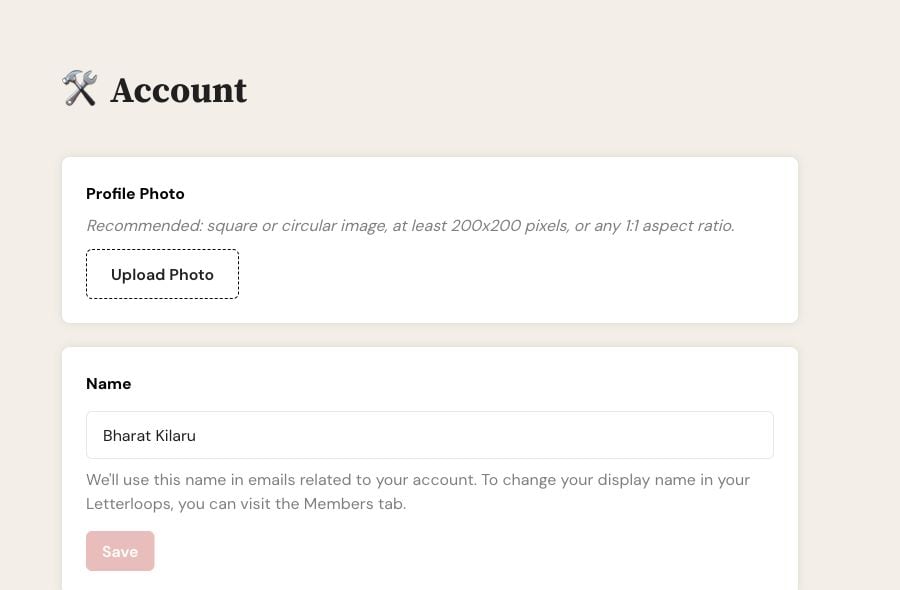
On web, More → Account opens the account Profile Photo and Name controls.
From the Home screen, tap the settings gear.
Tap Account.
Use Change Photo to upload or remove your account photo. Edit Name, then tap Save.
Expected result: The Account screen shows your saved name and photo.
Open the Letterloop you want to update.
On web, select Profile in the sidebar. On iPhone/iPad or Android, tap Profile in the Letterloop menu.
Under Display Name, edit your name and select Save.
Under Profile Photo, upload, change, or remove the photo.
Expected result: Your new display name and photo are used only in that Letterloop.
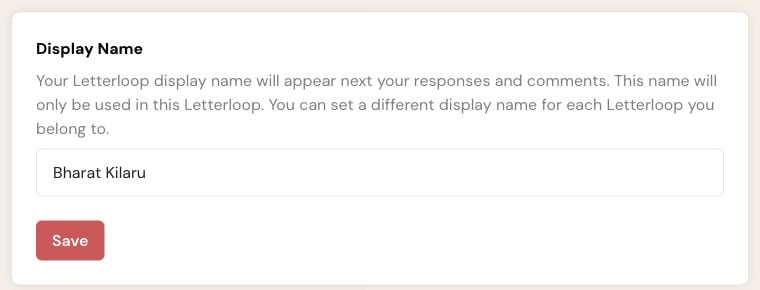
In a Letterloop’s Profile, Display Name changes only that Letterloop.
Wait for the upload to finish before leaving the page.
If an upload fails, try a supported image format and review Supported media and upload troubleshooting.
If the photo is saved but missing from a delivered Issue, ask an Owner or Admin to open Settings → Profile Photos for that Letterloop.
If that Letterloop already has a custom profile photo, changing your account photo does not replace it. Update the Letterloop profile directly.

