Applies to: Web, iPhone/iPad, Android
Who can do this: Owner or Admin to configure suggestions or send a request. Contributors can propose questions for an Upcoming Issue. For an In Progress Issue, any current Issue member who receives the unique request link can propose one.
Letterloop uses Minimum questions to keep at least your chosen number of prompts in each Issue. Automatic suggestions cycle through the Question Bank in its displayed order.
Open the Letterloop and select Question Bank.
Select the gear beside “You’re set to receive up to … suggested questions each Issue.”
In Suggestion Settings, set Number of Questions from 1 to 3.
Select Done. Web saves the number as you change it.
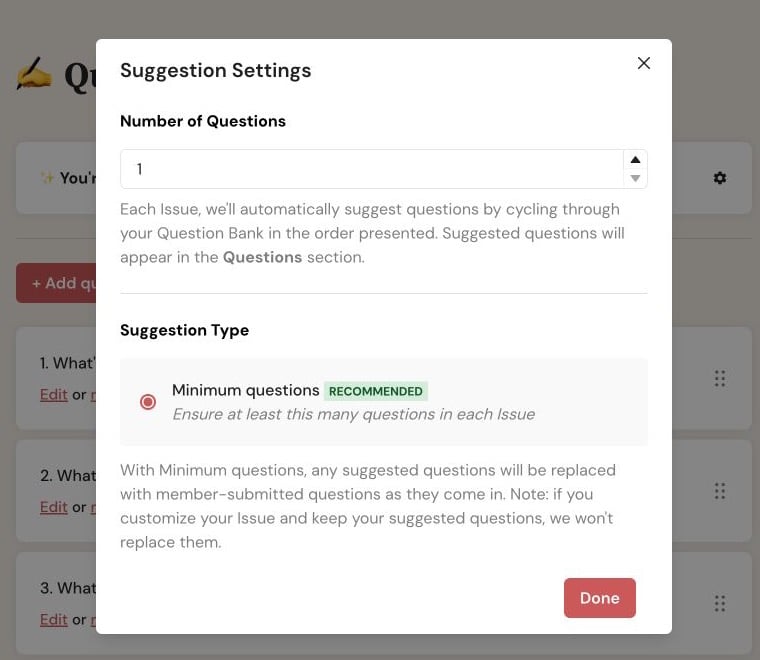
On web, the Question Bank gear opens Suggestion Settings; Done closes the dialog after your number is saved.
Open the Letterloop, then select Settings → Suggested Questions.
Use the stepper to choose 1 to 10 suggested questions.
Select Save. iPhone/iPad and Android confirm the change with “Saved!”
With Minimum questions, a proposed question can replace an automatic suggestion as it arrives. If an Owner or Admin customizes the Issue and keeps an automatic suggestion, Letterloop does not replace that kept question.
A proposed question is added to the Upcoming or In Progress Issue, but it is not guaranteed to appear in the delivered Issue. An Owner or Admin can edit, remove, reorder, or replace it before delivery.
Open the Letterloop and select Issues.
On the Upcoming or In Progress Issue, open Options.
Select Request questions from members.
Confirm the Issue number and status in Request Member Questions.
Select Request Questions.
Open the Letterloop, then open Issues.
Open the actions menu for the Upcoming or In Progress Issue.
Select Request questions from members, then Request Questions.
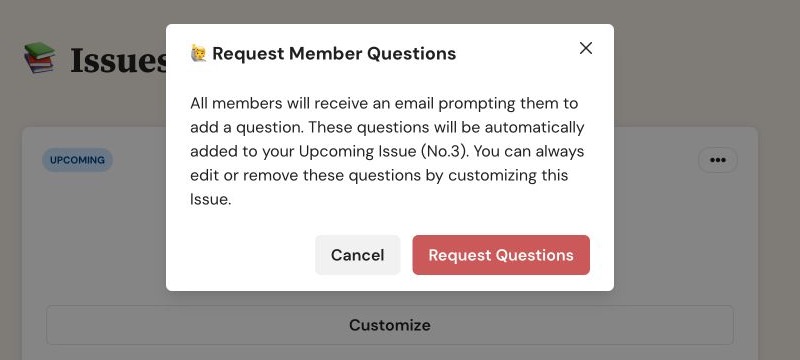
Confirm the target Issue before selecting Request Questions. This sends an additional request right away.
Recipient scope depends on the Issue status. For an Upcoming Issue, Letterloop emails and queues a push notification only for Contributors. For an In Progress Issue, the manual action sends those requests to every current Issue member. Each message contains that member’s unique link.
Automatic request: Letterloop also requests questions before a scheduled Issue starts—two days before a weekly Issue and six days before other recurring schedules. Use the manual action only when you want an additional request now.
Open the question-request email or push notification. For an Upcoming Issue, a Contributor can also open Issues and select Submit Question. A Reader normally sees View Letterloop; after an In Progress request, use the unique link from the message.
On Submit Questions, select + Add a question → Add your own question.
Enter the question and choose how the author should appear.
Finish with Submit on web, Save on iPhone/iPad, or Save Question on Android.
The question appears in that Issue’s question list for Owner or Admin review.
Request questions from members appears only to an Owner or Admin on an Upcoming or In Progress Issue.
Submit Question on an Upcoming Issue is for Contributors. A Reader normally sees View Letterloop. After a manual In Progress request, use the unique link in that request.
If a suggestion is not replaced, check whether an Owner or Admin already customized the Issue and kept it.
If automatic suggestions are missing, confirm the Question Bank contains unused questions and recheck the saved suggestion count.
If an expected recipient does not receive the request, check spam and notification settings before sending another request. For an Upcoming Issue, recipients are Contributors; for an In Progress Issue, recipients are current Issue members.

