Customize the questions, polls, Sections, events, Issue Name, and schedule for an Upcoming or In Progress Issue.
Applies to: Web, iPhone/iPad, Android
Who can do this: Owner or Admin
Upcoming Issue: Changes prepare the next cycle before it starts. Question and poll choices apply to that Issue. Section changes made in the Upcoming editor also apply to future Issues.
In Progress Issue: Changes affect a live Issue that Contributors may already be answering.
Before removing live content: Removing a question or Section from an In Progress Issue removes it from the Issue along with answers already submitted for it. Continue only when that is intended.
Open the Letterloop and select Issues in the left sidebar.
For the Upcoming card, select Customize.
For an In Progress card, open Options (•••), then select Customize.
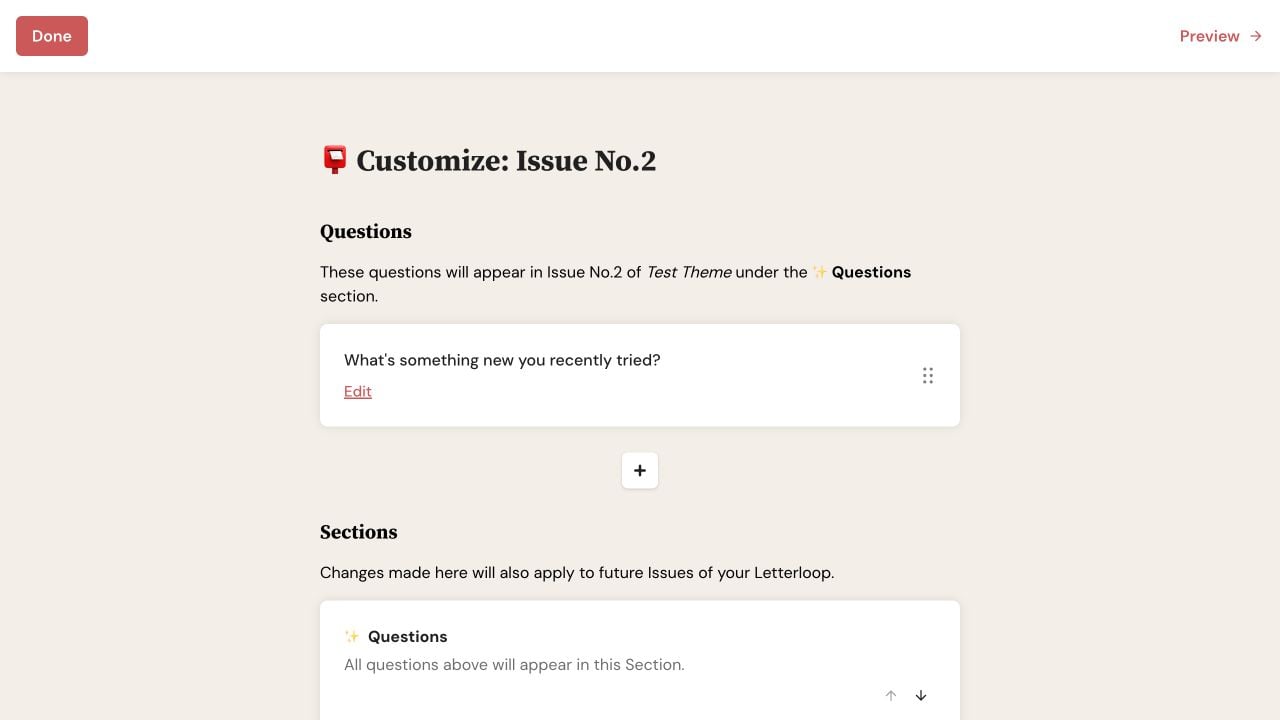
On web, Done and Preview stay at the top while you manage questions and Sections.
Open the Letterloop.
For the Upcoming card, choose Customize.
For an In Progress card, open the ••• menu and choose Customize.
For an In Progress Issue, review Customize In Progress Issue, then choose Continue only if the live change is intended.
Questions and polls: Add your own question, use a Letterloop or Question Bank question, create a poll, edit wording, remove an item, or change the order.
Sections: Add an existing or new Section, edit it, remove it, or change its position. An In Progress Section edit applies only to that Issue.
Schedule: Choose Edit schedule →. The Upcoming editor shows both the start and delivery dates; the In Progress editor changes the live delivery date.
Issue Name: Set or edit the optional name shown on the Issue card.
Upcoming Events: Review events in the Issue window or choose Add Events →.
Preview: Check the Issue before leaving when you changed its structure or order.
There is no separate Save customization step. Each add, edit, remove, or reorder action saves when you complete that action.
Web: Issue Name autosaves while you type. Select Done to save any pending name edit and return to Issues.
iPhone/iPad: Choose Save in an individual edit screen when shown, then use the X close control to leave the main editor.
Android: Choose Save in an individual edit screen when shown, then use the Back arrow at the top of the main editor.
Expected result: Reopening the editor shows the selected questions, Sections, Issue Name, and schedule. The Issue card reflects its current name and dates.
When the Upcoming Issue starts, Letterloop copies the selected questions and Sections into the new top-level Issue. Automatic suggestions do not replace the choices an Admin kept after customizing that cycle.
An In Progress change can appear while Contributors are writing. Tell the group about a material prompt or date change, and ask Contributors to reopen the reply screen if they still see an older version.
Schedule note: Do not use live customization to change the recurring frequency. A recurring frequency change applies after the already scheduled Upcoming Issue.
Confirm that you edited the intended Upcoming or In Progress Issue.
Finish the individual edit screen with Save when that button is shown.
Reopen the editor and check the item or order.
On web, select Done after typing an Issue Name so a pending autosave completes.
If Customize is missing, confirm that you are an Owner or Admin.
For a live Issue, ask Contributors to reopen the reply screen.

