Applies to: Web, iPhone/iPad, Android
Who can do this: Owner or Admin creates a Section. Contributors can reply when Admin Only is off.
Create a Section when you want Contributors to submit a normal response, a photo-first gallery, or music. A new Section is selected for the Issue you are customizing and stays available to reuse.
Standard collects a text response and can include uploads.
Photo Wall displays visual submissions edge to edge. Each contribution must include an upload and a single-line caption.
Music lets Contributors search Spotify for tracks, add more than one track, and optionally add a caption.
Open the upcoming or in-progress Issue and choose Customize.
Scroll to Sections, select the plus button, then choose Create a new section. To reuse a saved Section instead, choose Add from existing sections.
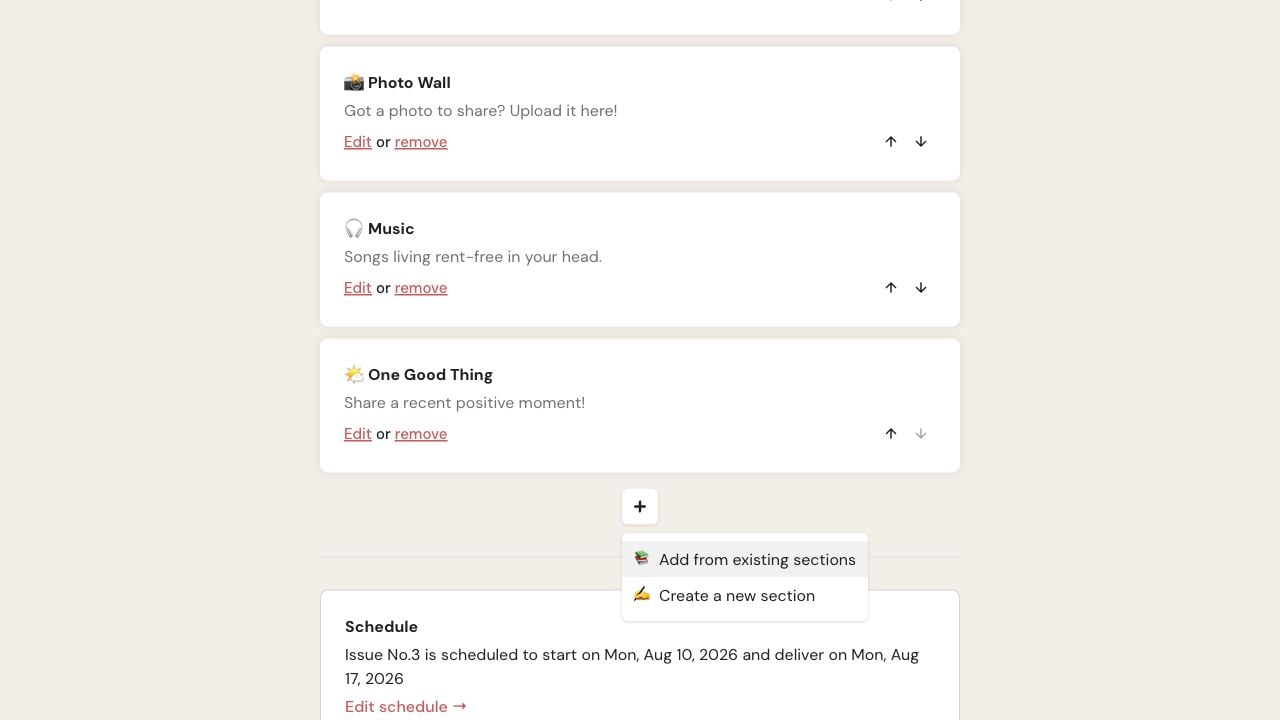
On web, the Sections plus menu separates reusing a saved Section from creating a new one.
Enter a Title and Description. You can also add an emoji, choose Standard, Photo Wall, or Music under Type, and turn on Admin Only when only Owners and Admins should reply.
Choose Save. The new Section appears in the customized Issue and in the reusable Section list.
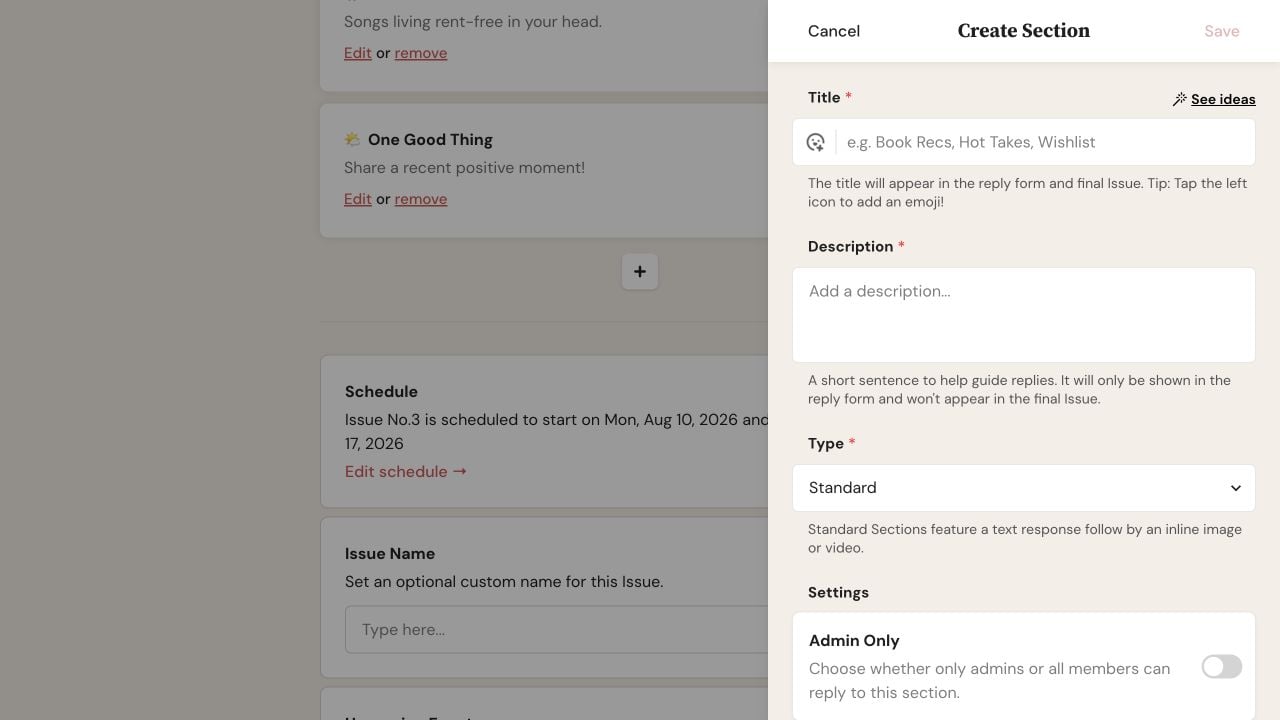
Choose a Type in Create Section; Save becomes available after Title and Description are filled.
Open the upcoming or in-progress Issue and choose Customize.
Scroll to Sections and tap the plus button.
On All Sections, choose + Create New Section. To reuse a saved Section, turn on its switch instead.
Enter the required Title and Description. Choose a Type, and optionally add an emoji or turn on Admin Only.
Tap Save. Return to the Issue customization and confirm the new Section is selected.
Changes made while customizing an upcoming Issue also apply to future Issues.
Changes made while customizing an in-progress Issue apply only to that Issue. A Section created there remains available to reuse, but it is not automatically selected for later Issues.
Avoid changing the Type after Contributors have started replying. The new format may no longer match their saved content.
Save is unavailable: Enter both a Title and Description.
A saved Section is missing from the Issue: On web, use Add from existing sections. On iPhone, iPad, or Android, open All Sections and turn on its switch.
A Contributor cannot reply: Check whether Admin Only is on.
Choose from Library closes without adding anything on Android: Select Add a Photo or Video again, then choose Browse Photos and Videos. Select one or more items in the Android file picker. Expected result: the selected media appears in the reply and begins uploading.
A Photo Wall contribution is missing from the final Issue: Make sure it contains both an upload and a caption.
The preview looks unchanged: Close and reopen Preview after saving.

