Applies to: Web, iPhone/iPad, Android
Who can do this: Owner or admin
Issue Delivery controls how the newsletter email is addressed to members. Response Delivery controls whether Issue responses are delivered together at the deadline or one member at a time as they arrive. Changing one does not automatically change the other.
Individual delivery sends the Issue to each member individually. It provides the strongest deliverability and the simplest in-product commenting experience.
Group delivery sends the Issue on a group email chain. It can suit groups that prefer email reply-all instead of in-product comments.
Deliver altogether sends the collected responses together at the due date and is the recommended default.
Deliver one-by-one sends each member's response as it comes in. It can spotlight individual contributors, but it increases the number of emails.
From the Dashboard, choose the Letterloop, then select Settings in the left sidebar.
Under Issue Delivery, choose Individual delivery or Group delivery.
Under Response Delivery, choose Deliver altogether or Deliver one-by-one.
Confirm the radio button beside each choice is selected. These two settings save automatically; the nearby Save button applies only to Letterloop Title.
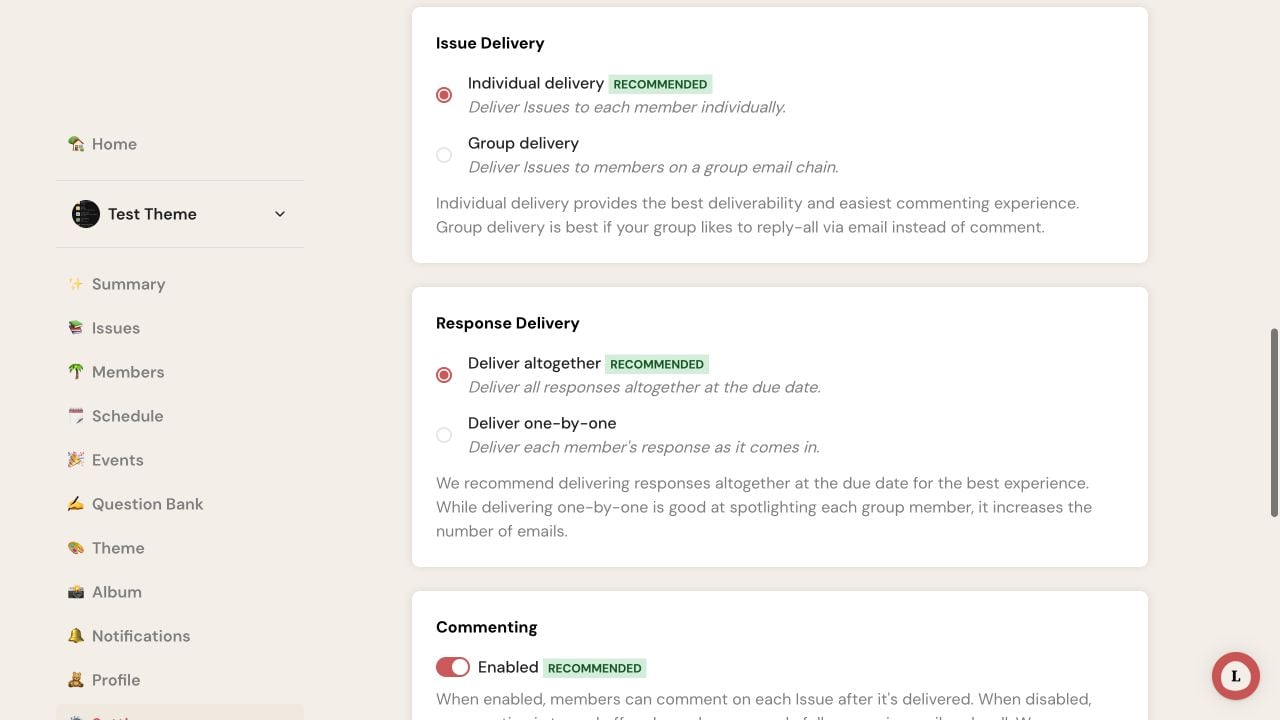
On web, choose both delivery options directly in Settings. Each choice saves as soon as it is selected.
From Home, open the Letterloop and select Settings.
Under Delivery Settings, select Issue Delivery, choose Individual delivery or Group delivery, then go back.
Select Response Delivery, choose Deliver altogether or Deliver one-by-one, then go back.
Each choice saves when tapped. Reopen the setting if you need to confirm the selected option.
Review Commenting separately before leaving Settings. Individual delivery gives the simplest in-product commenting experience; Group delivery suits groups that prefer email reply-all.
They do not turn readers into contributors.
They do not change the reply window or the Issue deadline.
They do not make a forwarded email or share link private to its original recipient.
They do not deliver an empty Issue; if nobody replies, Letterloop deletes the Issue and pauses the Letterloop.
Check whether Response Delivery is set to one-by-one and whether Issue Delivery is set to a group chain. Also review comment and notification preferences. Choose altogether when the group should receive a single collected Issue at the deadline.