Applies to: Web, iPhone/iPad, Android
Who can do this: Owner or Admin
Deleting an Issue permanently removes that Issue, all replies submitted to it, and its comments and reactions. The action cannot be undone.
Use deletion only when the entire Issue should disappear. To change prompts in a live Issue, customize the In Progress Issue instead.
Confirm the Letterloop, Issue number, and whether the Issue is In Progress or delivered before you open Options. On web, the confirmation dialog does not repeat the Issue number.
If the group needs a record of a delivered Issue, download or export its PDF before deleting it.
Tell other Admins before deleting a delivered Issue because later Issues will be renumbered.
Open the Letterloop and choose Issues.
Find the Issue and open Options.
For an In Progress Issue, choose Delete. For a delivered Issue, choose Delete Issue.
In ❌ Delete Issue, read the warning. The dialog does not repeat the Issue number; if you are unsure which card you selected, choose Cancel and return to the Issues list.
Choose Delete Issue to confirm, or Cancel to keep the Issue.
Expected result: Letterloop shows Issue deleted successfully and removes the Issue from the list. If the deleted Issue was delivered, later Issue numbers may take a moment to update.
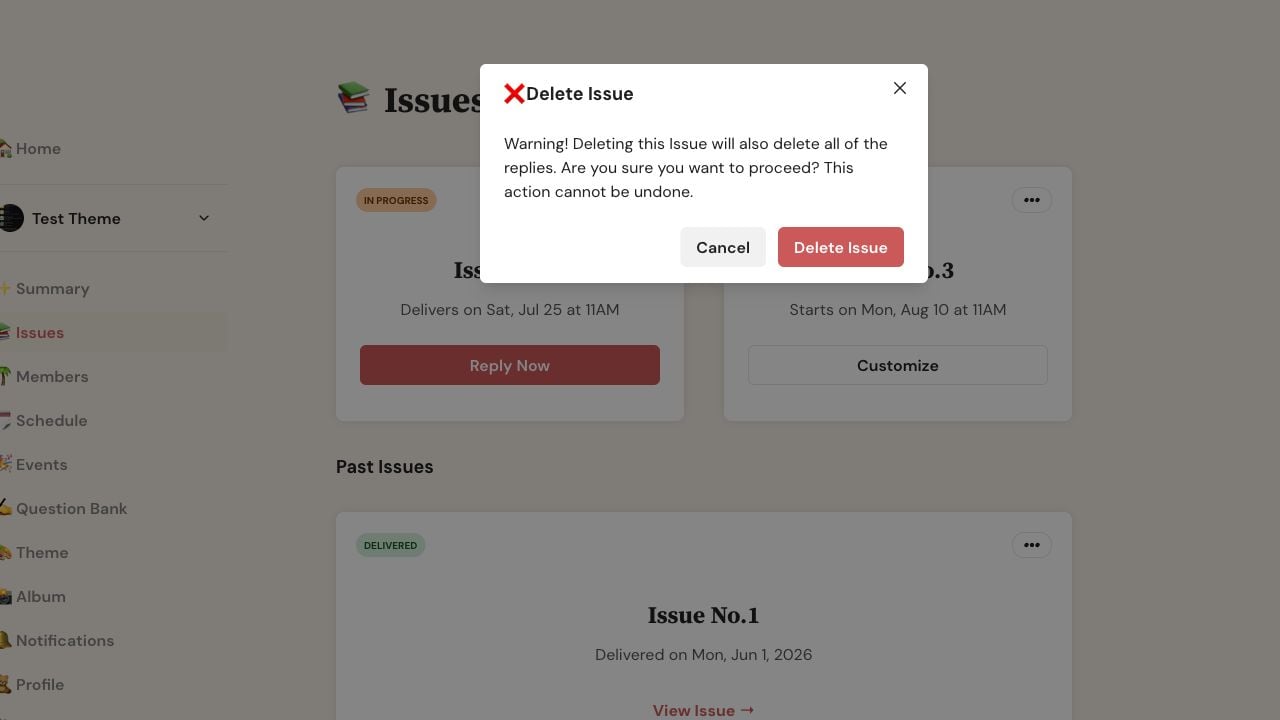
On web, review the warning before choosing Delete Issue; Cancel leaves the Issue unchanged.
Open the Letterloop and choose Issues.
Open the In Progress or delivered Issue's options menu.
Choose Delete Issue.
Verify the Issue number in ❌ Delete Issue, then choose Delete Issue to confirm or Cancel to go back.
Expected result: The app confirms the deletion and removes the Issue from the list. If a delivered Issue was deleted, later Issue numbers are updated.
Replies, comments, and reactions on the deleted Issue are all removed.
Readers, Contributors, Owners, and Admins can no longer open that Issue.
Other Issues remain. Later Issues are renumbered when a delivered Issue is deleted.
The Letterloop, its members, roles, and subscription remain unchanged.
Confirm that you are signed in as the Letterloop's Owner or an Admin.
Reopen Issues and check whether the Issue already disappeared before trying again.
If the Issue is gone but later numbering has not updated, wait briefly and refresh or reopen the app.
If the failure repeats, do not keep choosing the destructive action. Contact support with the Letterloop name, Issue number, platform, and approximate time of the attempt.

