Applies to: Web, iPhone/iPad, Android
Who can do this: Letterloop Owner or Admin
Deleting a Letterloop permanently removes the group, its members, its Issues, and associated Letterloop data. It is different from pausing, leaving a Letterloop, deleting one Issue, or deleting your account.
Before you continue: If you only want to take a break, pause the Letterloop instead. Pausing keeps delivered history and settings available.
Save PDFs or other copies of delivered Issues you want to keep.
Tell other Admins and members who rely on the history.
Confirm that you selected the correct Letterloop.
Transfer ownership instead if another person should keep running it.
Review your subscription separately. Deleting a Letterloop does not cancel billing.
On the Dashboard, open the Letterloop card's Options menu and choose Settings. You can also open the Letterloop and choose Settings.
Scroll to Delete Letterloop.
Read which data will be removed, then choose Delete Letterloop.
Confirm that the dialog names the Letterloop you intend to remove.
Choose Delete Letterloop again to permanently delete it.
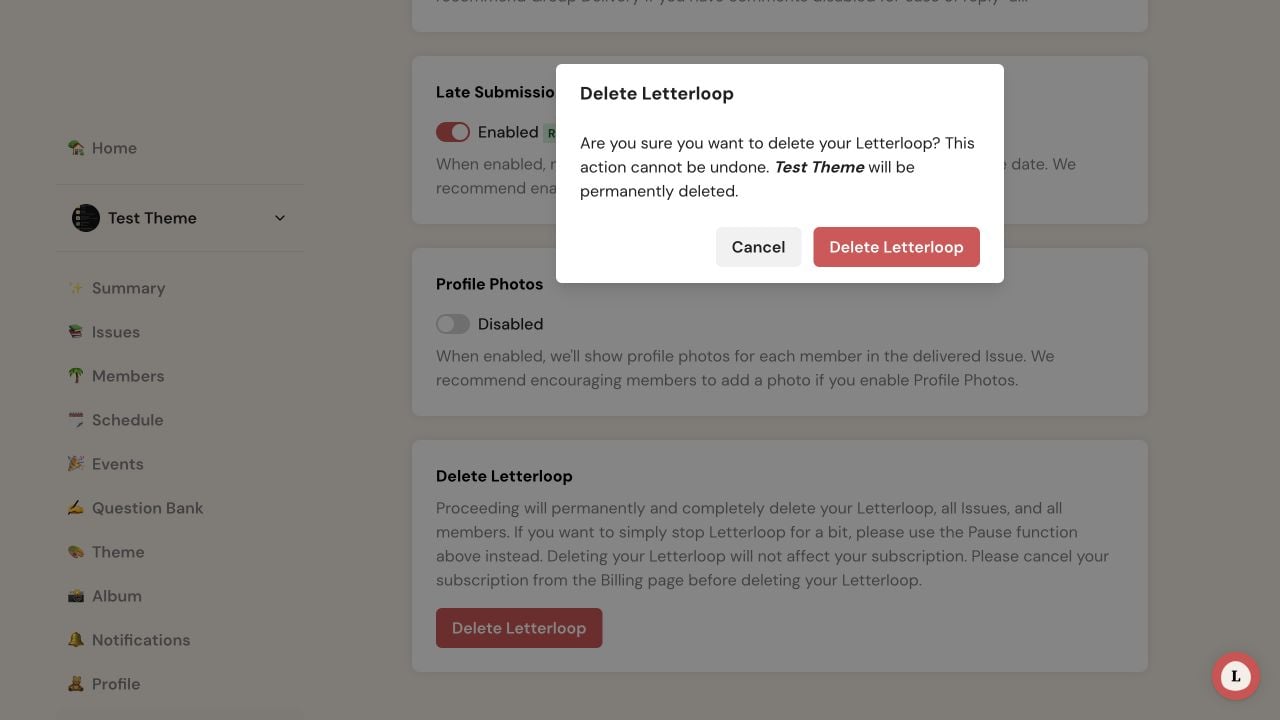
On web, check the Letterloop name in the confirmation before choosing Delete Letterloop.
Open the Letterloop, then open Settings.
Under DELETE, choose Delete Letterloop.
Read the permanent-deletion warning and choose Delete Letterloop.
In Confirm Delete, choose Confirm.
Expected result: You return to your Letterloops list, and the deleted Letterloop is no longer available.
A subscription belongs to the purchasing account and can cover the Letterloops that account owns. Deleting a Letterloop does not cancel its subscription or renewal. Manage or cancel the subscription separately using the provider that bills you.
Only the Letterloop Owner or another Admin can delete the Letterloop. Members without Admin permission see Leave Letterloop instead, whether they are Contributors or Readers.
Confirm that you are signed in to the correct account and have opened the intended Letterloop.
If a Letterloop paused because its subscription is inactive sends Settings to the subscription screen in the iPhone/iPad or Android app, sign in on the web, open the Letterloop card's Options menu, choose Settings, and follow the Web steps above.
If your role was just changed, sign out and sign back in, then try again.
If deletion still fails, contact Letterloop support instead of removing data piecemeal.

